
Stop Guessing, Start Asking: Interactive Klaviyo Segmentation Strategies for 2026
Stop Guessing, Start Asking: Interactive Klaviyo Segmentation Strategies
If you are still segmenting your audience based solely on "Open Rates" or "Purchase History," you are leaving money on the table.
In my previous guide on button-click segmentation, I showed you how to tag users based on simple binary choices (e.g., Mens vs. Womens vs. Home). Today, we are taking it a step further. We are going to talk about Progressive Profiling and Zero-Party Data.
Why "Implied" Data isn't Enough
Most email marketers rely on implied data.
• User clicked a red shirt -> Maybe they like red?
• User opened an email at 8 PM -> Maybe they are a night owl?
This is guessing. Zero-Party Data is when a user tells you exactly what they want. And the best place to ask them? Right inside the email.
The Strategy: The "Review" Logic Cloud
Instead of just asking "Mens, Women, or Home?", imagine asking your user about their goals.
Let's say you run a skincare brand (or are marketing for one). Instead of sending a generic "Shop Now" email, send a "Help us help you" email.
Step 1: Create the Custom Properties
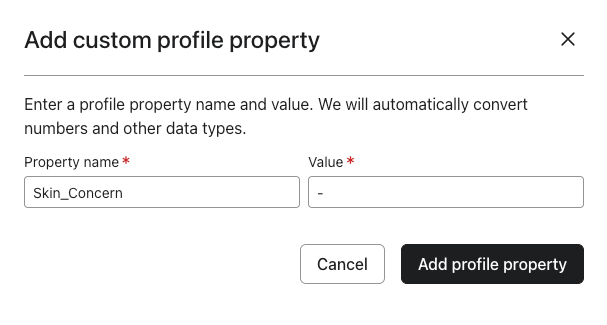
Before you touch the email template, go to your Klaviyo Audience settings. You need to define the destination for this data. Create a property called Skin_Concern.
Go to:
- Audiance
- Profiles
- Choose one profile
- Press add custom property
- Write the name of the property (Skin_Concern)
- Add the value for that profile (for now, a '-' will do, and if the person answers the Interactive question of their concern, it will update their profile)
Step 2: The Interactive Block
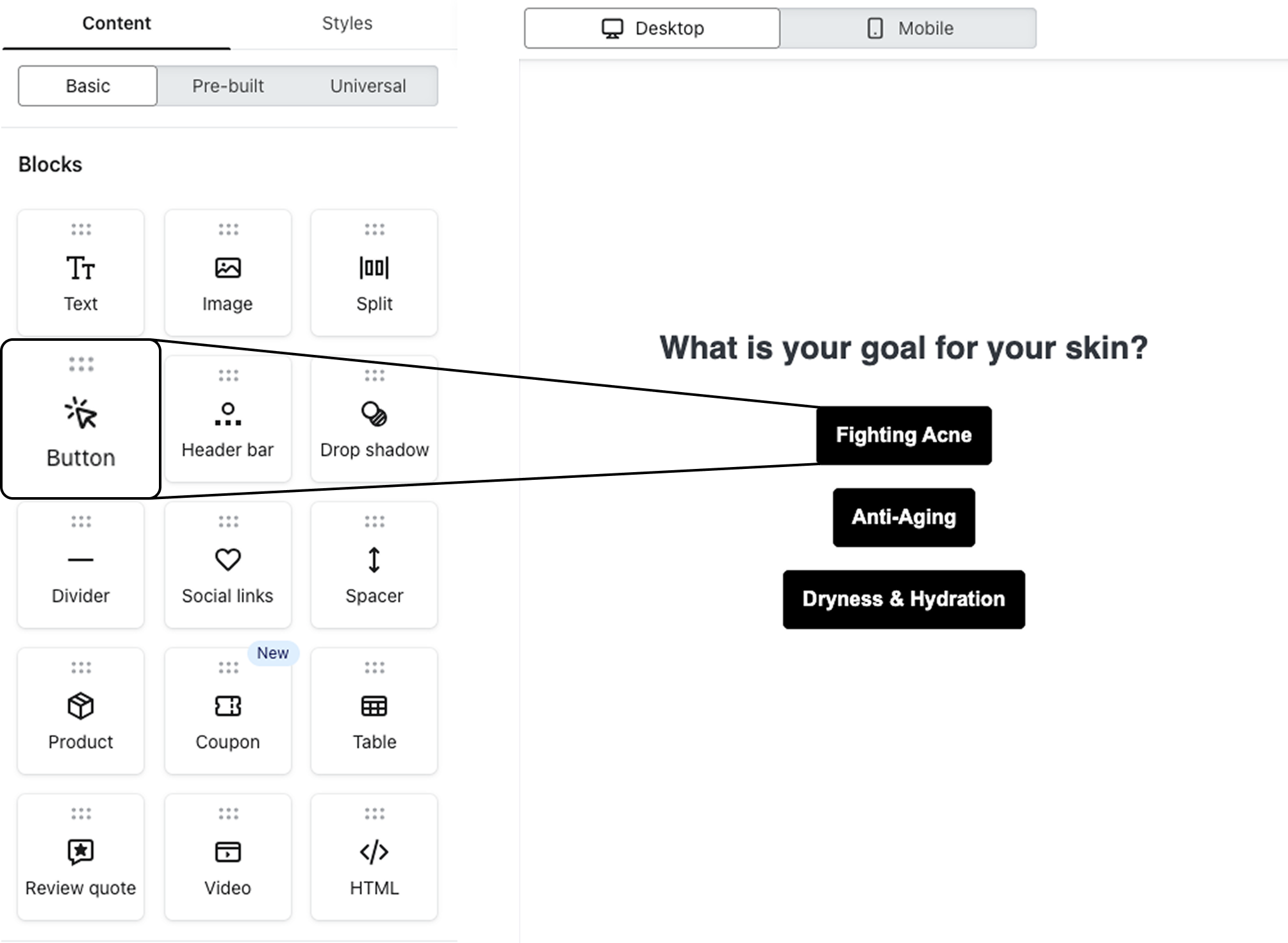
In your email editor, create a content block with 3 distinct buttons or image cards:
1. "Fighting Acne"
2. "Anti-Aging"
3. "Dryness & Hydration"
Step 3: The "Update Profile" Magic
This is the technical trick. Do not just link these buttons to a collection page.
Link them to a specific URL that triggers a profile property update.
Check out more specifics in the The 1-Tap Segmentation article
Automating the Follow-Up
Once a user clicks "Anti-Aging," two things should happen immediately:
1. The Flow Trigger: They enter a specific "Anti-Aging Educational Flow." No hard selling yet—just value.
2. The Exclusion: They are excluded from the "Acne" campaigns.
This stops the "batch and blast" fatigue. You are no longer sending 10 emails hoping one sticks. You are sending 1 email that you know is relevant.
Need Help Building Complex Flows?
Setting up the logic for these interactive emails can be tricky. If you want to implement advanced zero-party data collection without the headache, the team at FirstX Agency specializes in exactly this kind of technical email marketing.
Don't just build a list. Build a relationship.
Member discussion